All projects / iOS / Ongoing · 2 / 5
UPocket
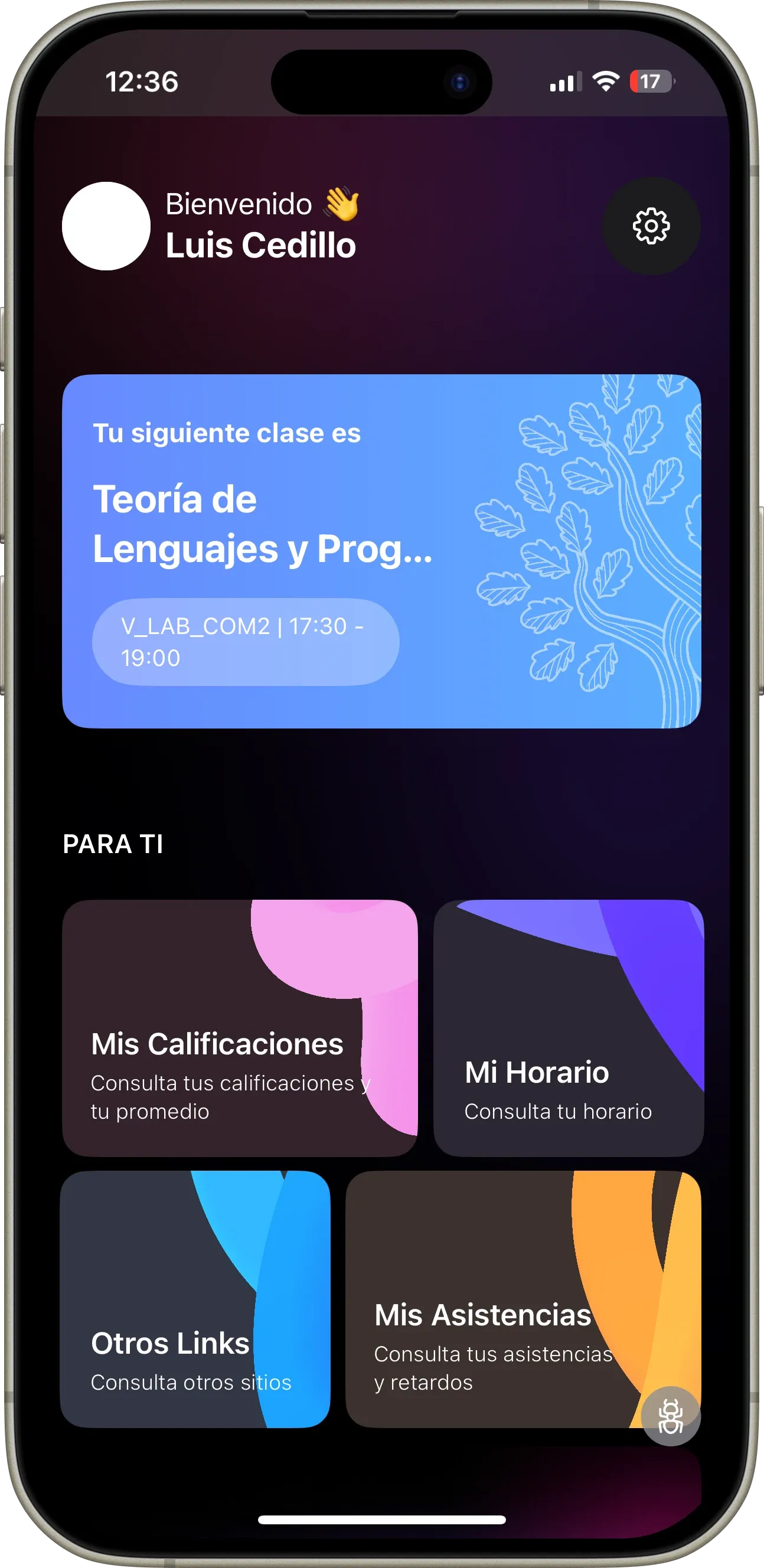
University students see their schedule, attendance, grades and academic links in one place instead of piecing them together from separate systems.
- Role
- Full-stack developer
- When
- Ongoing
- Stack
- FastAPIPythonPostgreSQLSwiftUIKubernetesDockerAWSOllama
- Links
- Source code ↗
Context
University information was spread across the places students already had to check: schedules, attendance, grades and useful academic links did not arrive as one daily picture. UPocket was built as an all-in-one mobile app for that gap. The product had to be quick to read between classes, but the underlying data still needed a reliable home as the audience grew.
I worked on UPocket at the iOS Development Lab as a full-stack developer. The stack paired SwiftUI on the phone with a FastAPI and Python backend, PostgreSQL, Docker and Kubernetes, alongside AWS and Ollama. I kept asking whether a decision that made one student’s screen clearer would still hold when many students requested the same information.
My role
I moved between the mobile and service layers. I shaped API responses around the views students actually used, implemented the SwiftUI screens for the dashboard, schedule, attendance and grades, and traced mismatches back to the data model instead of patching each screen. I also helped keep the backend deployable in containers and worked with the lab team to turn feedback from real academic routines into small, reviewable changes.
The important boundary was responsibility. The app should present a calm summary and handle loading or missing data honestly; the service should own normalization and the rules for combining academic records. That kept a change to one source from becoming a different interpretation on every phone.
Decisions
- Design the API around a student’s academic term. Schedule, attendance and grades are easier to reason about when they share a term and course identity. The trade-off was doing more normalization before a response could render, but it prevented screens from assembling conflicting course names and periods independently.
- Keep SwiftUI and the backend responsibilities separate. SwiftUI owns navigation, presentation and mobile-friendly states; FastAPI owns validation, aggregation and persistence. The boundary adds API versioning work, yet it let us improve a screen without rewriting the data rules and test those rules outside the app.
- Use PostgreSQL as the durable source for academic records. A relational model fits courses, periods and student associations, and makes the relationships explicit. The trade-off is migration discipline: adding a field requires a deliberate database change rather than an ad hoc document shape.
- Treat loading and unavailable data as product states. A schedule can be empty or a grade can arrive later; showing a blank screen as if it were complete would mislead students. We kept those states visible in the UI, which costs a few more branches but makes the app useful during the moments when upstream information is incomplete.
- Package the service with Docker and run it on Kubernetes. Containers made the service reproducible and Kubernetes gave the lab a consistent way to operate it as usage grew. That infrastructure is more involved than a single process, so the benefit had to be a repeatable release and stable service rather than complexity for its own sake.
Result
My LinkedIn project profile reports 15,000+ students served and an 80% reduction in schedule conflicts. These are profile-reported outcomes, not independently audited measurements. The useful part was not a denser dashboard; it was having one place where a student could check the next class, confirm attendance and review progress without switching between systems.
What I would do differently
I would establish a small set of representative student schedules as contract fixtures at the beginning. They would make edge cases such as overlapping periods and missing grades visible during API changes, before a mobile screen had to explain them. I would also set a release rhythm around the academic calendar so low-risk improvements could land between the larger term transitions.
UPocket student dashboard with academic overview 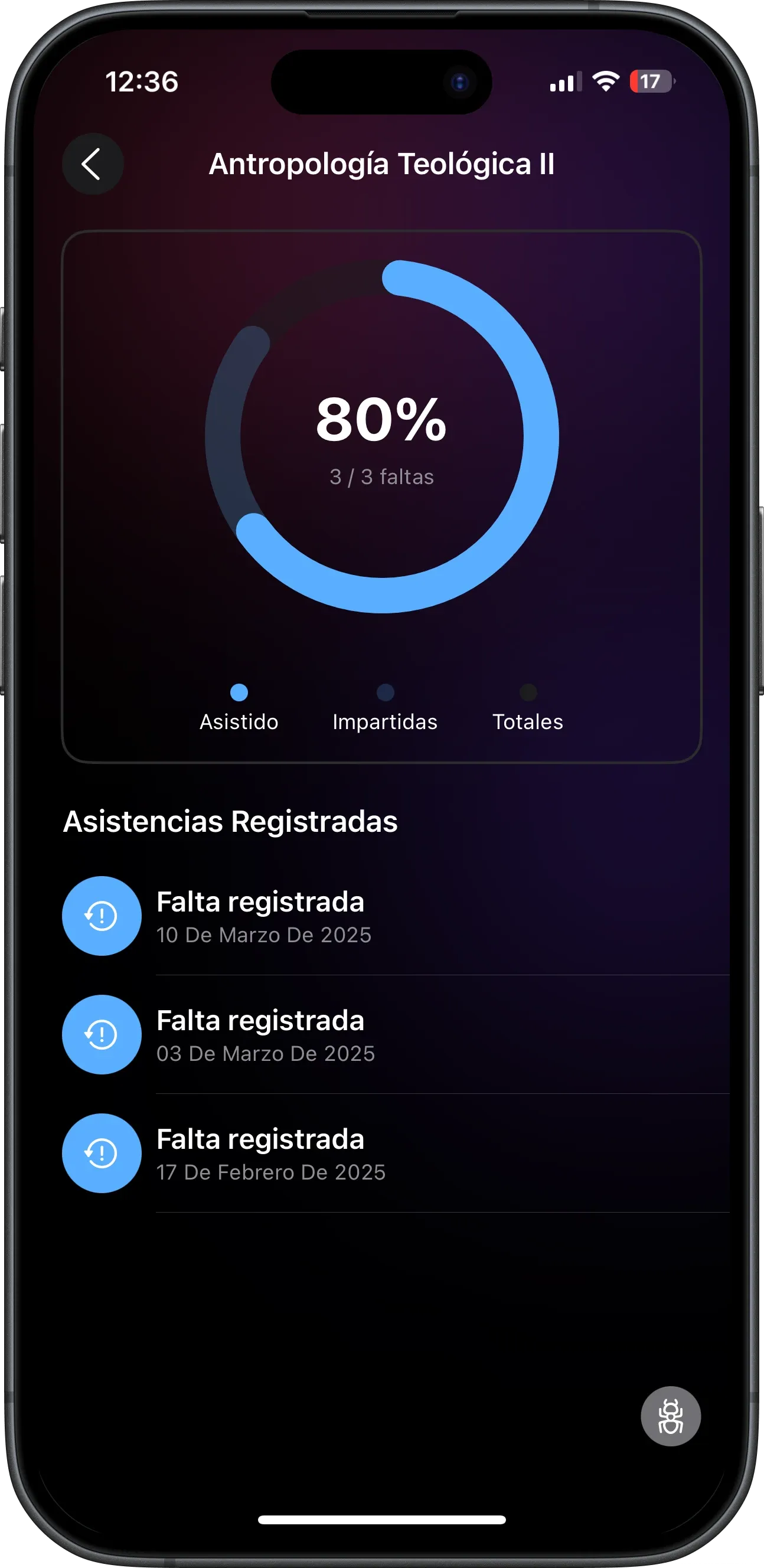
UPocket interactive class schedule 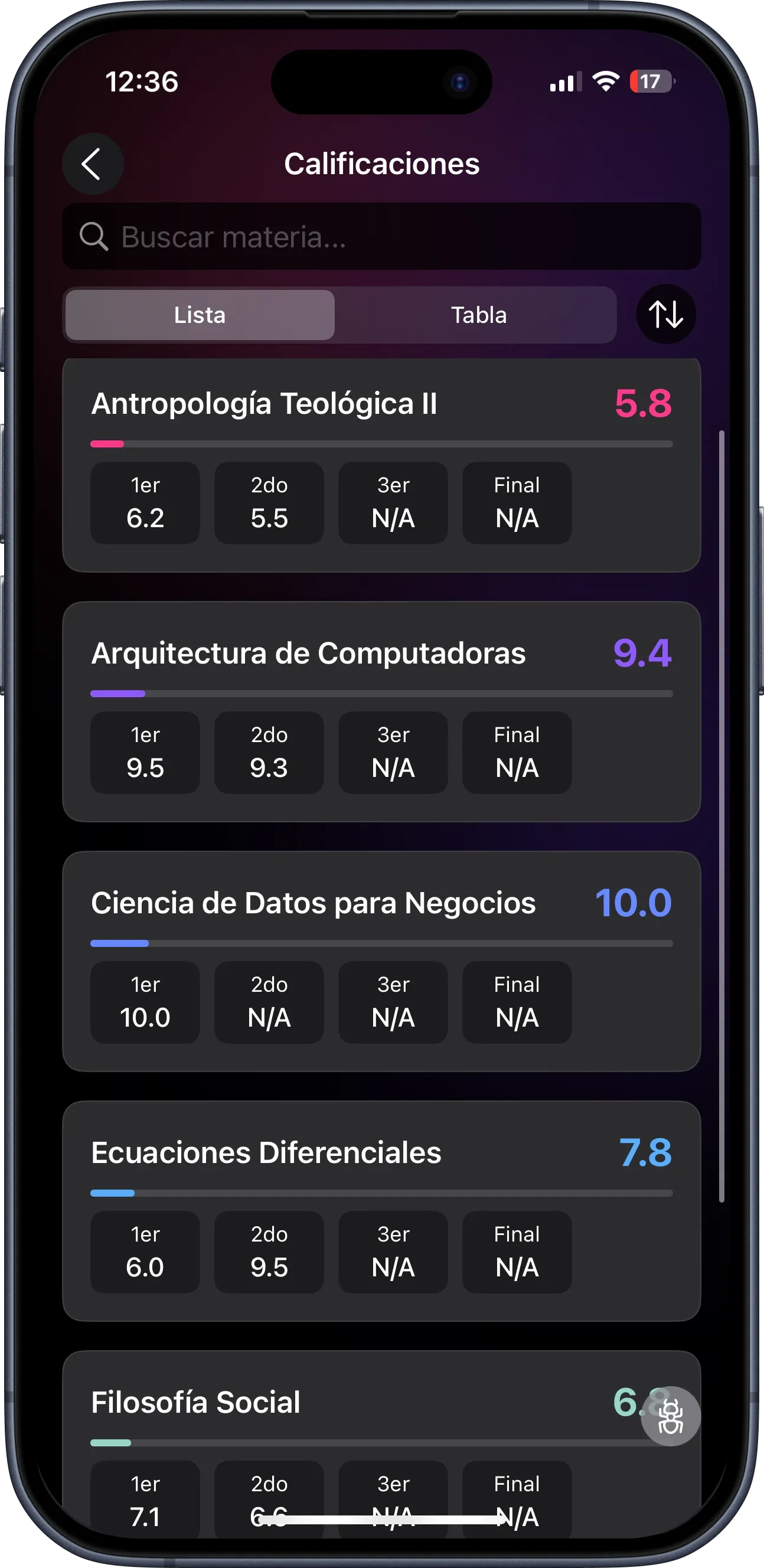
UPocket attendance tracking screen 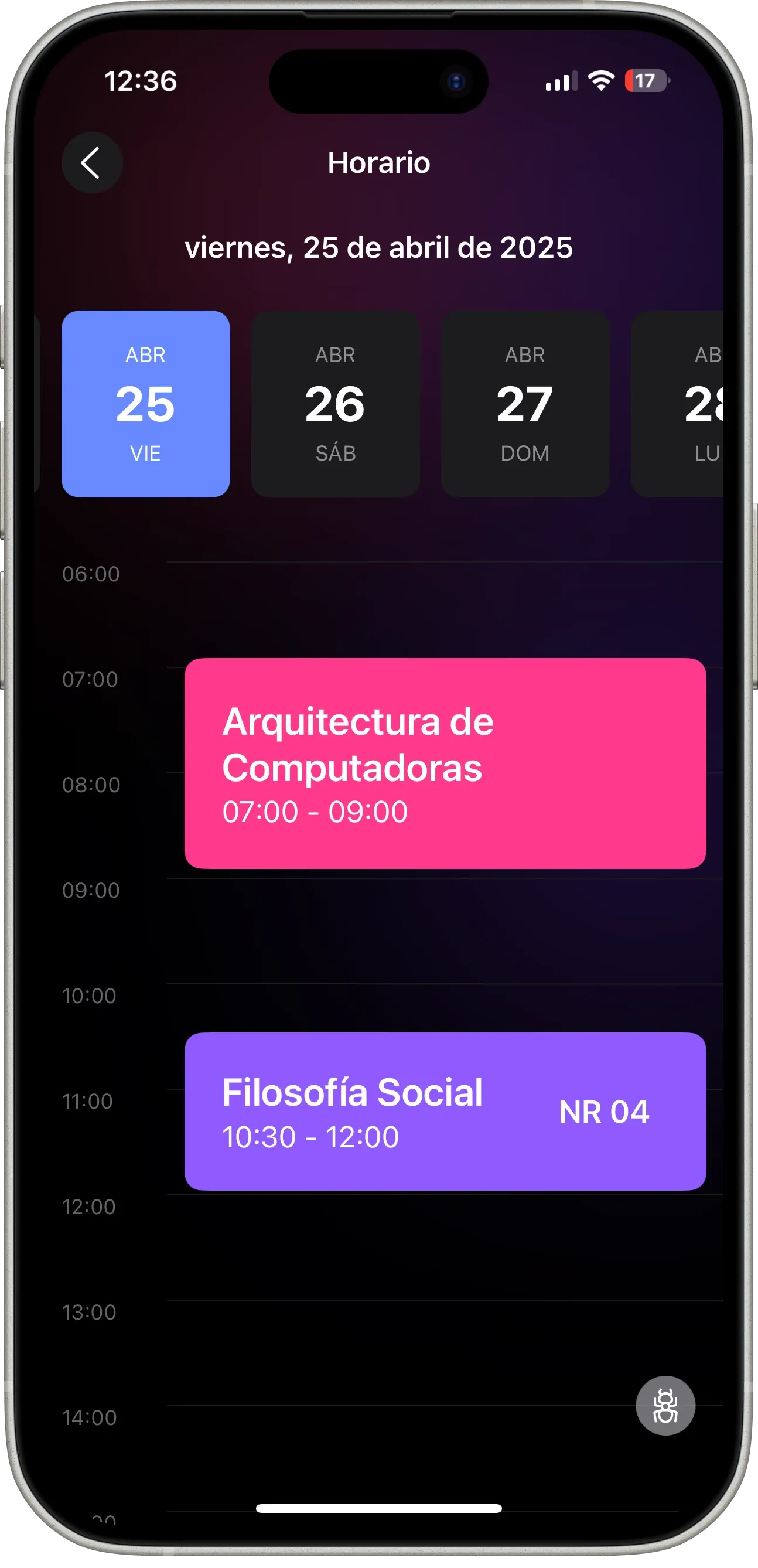
UPocket grade summary screen